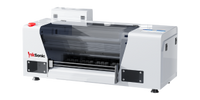
InkSonic offers DTF T-shirt printing machines for custom apparel businesses, home-based creators, and print shops. These printers produce full-color transfers for cotton, polyester, and blended fabrics, making them suitable for custom T-shirts, hoodies, tote bags, and other textile products.
Whether you're printing individual logos or preparing small batches, compare InkSonic models by print width, production speed, maintenance features, and available equipment bundles to find a setup that fits your needs.
How to Choose the Right T-Shirt Printing Machine
Having your own T-shirt printing machine gives you more control over custom designs, production schedules, and order quantities. If you're looking for the best at-home T-shirt printing machine, consider whether it can handle both individual designs and small-batch orders. Want to test a new logo for your streetwear line? You can print a single shirt before producing a larger batch. Need 20 personalized shirts for an event? In-house printing lets you plan production around your own equipment and deadlines.
The best T-shirt printer for your business depends on several factors:
Print Width: A 13-inch printer can accommodate many common T-shirt designs, while a wider printing area provides more flexibility for larger graphics.
Production Volume: Consider how many designs you need to print each day and how much time is required for curing and heat pressing.
Maintenance: Compare white ink circulation, automatic cleaning, nozzle checks, and other routine maintenance requirements.
Ease of Use: Look for beginner-friendly features such as one-click automatic ink filling, which simplifies the initial setup and eliminates the need for manual ink priming.
Budget: Look beyond the printer price and consider the complete equipment setup.
InkSonic offers different models for these needs. The 13-inch Spark F13 is an entry-level option for small-batch and home-based printing. The H13 features a 14-inch print width and F1080 printhead, along with maintenance functions designed to simplify routine operation. For businesses handling more frequent printing jobs, the dual-XP600 U13D provides a higher-output configuration.
Compare the available models based on your expected orders, design sizes, and maintenance needs before choosing a machine.
Different Types of T-Shirt Printing Machines
If you're wondering which T-shirt printing method works best for your business, here is a quick overview of the most common options:
Screen Printing: Best for large batches of identical designs. It produces durable prints but requires screen preparation and setup for each design or color.
DTG (Direct to Garment): Suitable for detailed, full-color designs, especially on cotton garments. Fabric pretreatment may be required.
DTF (Direct to Film): Ideal for custom T-shirts, small batches, and full-color designs on a variety of compatible fabrics. It requires adhesive powder, curing, and heat pressing.
Sublimation: Best for light-colored polyester apparel but not suitable for ordinary cotton T-shirts.
Heat Transfer Vinyl (HTV): Works well for simple logos, names, and numbers, although complex designs require additional cutting and weeding.
For small businesses producing different designs in limited quantities, DTF printing offers flexibility without the screen setup required by traditional screen printing.
DTF transfers work on compatible cotton, polyester, and blended fabrics, including light and dark garments. You can create custom logos, detailed artwork, and full-color graphics for T-shirts, hoodies, sweatshirts, and canvas tote bags without purchasing a different printer for each type of apparel.
Unlike some DTG workflows, DTF printing generally does not require garment pretreatment. However, proper adhesive application, curing, and heat pressing are still necessary to achieve consistent results.
What Equipment Do You Need for DTF T-Shirt Printing?
A DTF T-shirt printing machine is only one part of the production process. You'll also need transfer materials and finishing equipment to turn a printed design into a finished shirt.
A typical DTF printing workflow includes:
Artwork Preparation: Prepare your designs using compatible design software and RIP software. You can arrange multiple transfers on a gang sheet to make better use of the printing film.
DTF Film Printing: Print the design onto compatible PET transfer film using DTF ink.
Adhesive Powder Application: Apply hot-melt adhesive powder to the printed design.
Curing: Cure the adhesive using suitable heating equipment, following the recommended settings.
Heat Pressing: Transfer the design onto the garment using the appropriate temperature, pressure, and pressing time.
For smaller operations, a DTF printer, curing oven, and heat press may be sufficient, with adhesive powder applied manually. Businesses handling larger production volumes may consider a powder shaker and dryer to reduce manual finishing work.
When comparing T-shirt printing machine prices, consider both the initial equipment cost and ongoing printing expenses.
Your startup budget may include a printer, heat press, curing equipment, ventilation, and compatible supplies. The variable cost of each shirt depends on the blank garment, ink, film, adhesive powder, packaging, and material waste.
InkSonic offers different printer and equipment bundle options. Check what is included before purchasing so you can plan the complete setup rather than budgeting for the printer alone.
Best T-Shirt Printing Machine Features from InkSonic
Looking for the best shirt printer? InkSonic DTF printers come with practical features designed to support printing efficiency and routine maintenance. Depending on the model, these features include:
3-in-1 White Ink Circulation System – Prevent clogs and extend printhead life.
2-in-1 Automatic Cleaning System – Keep your printer clean and running without hassle.
Air Suction & Film Loading System – Prevents film warping and ensures smooth feeding.
Dual Film Modes – Switch between sheet and roll printing.
Visible Ink Window – Always know your ink levels at a glance.
These features help make daily T-shirt printing and maintenance more manageable, whether you're just starting or growing your business.
Full Support for Your T-Shirt Printing Journey
New to T-shirt printing? InkSonic provides practical support to help beginners set up their printers, learn the printing process, and troubleshoot common issues.
Step-by-Step Manuals – Printer setup and maintenance instructions.
How-to Videos – Guides for printing and daily operation.
Free Remote Support – Help with technical issues.
YouTube Tutorials – Printing tips and product updates.
From unboxing to first print, we’ve got your back.
InkSonic offers T-shirt printing machines for home-based businesses and growing apparel brands. Whether you're printing custom shirts in small batches or handling larger orders, our DTF printers produce full-color designs on cotton, polyester, and blended fabrics. Choose a shirt printer based on your budget, workspace, and daily production needs.
Explore InkSonic's T-shirt printing machines to find the right fit for your business.
T-Shirt Printing Machine FAQs
What type of machine is best for printing T-shirts?
The best machine depends on your fabric types, design complexity, and order volume. DTF printers are well suited to full-color designs and small-batch customization, while screen printing can be more efficient for larger runs of identical designs.
Can a DTF printing machine print logos on T-shirts and hoodies?
Yes. DTF printers can create custom logo transfers for compatible T-shirts, hoodies, sweatshirts, and tote bags. Cotton, polyester, and blended fabrics can be used, but transfer settings should be tested for each material.
Do I need a heat press with a DTF printer?
Yes. A DTF printer produces designs on transfer film rather than directly on the garment. After adhesive powder application and curing, a heat press is needed to apply the transfer to the fabric.
How much does a T-shirt printing machine setup cost?
The total investment depends on the printer model, printhead configuration, finishing equipment, and included supplies. Compare printer-only options with equipment bundles, and account for consumables and maintenance costs before purchasing.
Can I use a T-shirt printing machine at home?
Compact DTF printers can be used in suitable home workspaces. You'll need enough space for the printer, curing equipment, heat press, and safe powder handling, along with ventilation and environmental conditions that meet the manufacturer's requirements.
Explore InkSonic's range of T-shirt printing machines to find a model that fits your workspace, order volume, and business needs.


 R1390 A3+ DTF Printer C13

 R1390 A3+ DTF Printer C13A (US & EU & UK In Stock)

 L1800 A3+ DTF Printer E13


 XP600 Dual Head A3+ DTF Printer U13D

 F1080 14" DTF Printer H13 (Pre-order)

 R1390 A3+ DTF Printer C13B