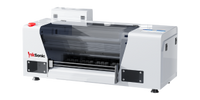
A DTF printer for small business lets you produce custom T-shirts, hoodies, uniforms, and other apparel without outsourcing every order. DTF transfers work on cotton, polyester, and blended fabrics, including light and dark garments. Whether you print from home or run a small apparel shop, the right setup depends on your budget, order volume, and workspace. A 13-inch printer may suit individual orders, while regular batch production may require a faster model or automated powdering and curing.
What Can You Make With a Small Business DTF Printer?
DTF printing is useful for businesses that handle different designs and order quantities. You can print a single personalized shirt or prepare multiple transfers for a batch of garments.
Product
Typical Orders
T-shirts & Hoodies
Custom designs, clothing brands
Uniforms
Business logos, staff apparel
Sportswear
Team names, numbers
Tote Bags
Events, branded merchandise
Sweatshirts
Seasonal collections, custom orders
Unlike screen printing, DTF doesn't require a separate screen for each design. You can combine several graphics on a gang sheet to make better use of the transfer film.
DTF also supports full-color artwork and white ink for dark garments. This gives small businesses room to accept different types of custom orders without changing printing methods for every fabric.
Should You Buy a DTF Printer or Order Ready-to-Press Transfers?
Buying a printer isn't always the first step for a small apparel business. If you only receive a few orders each month, purchasing ready-to-press DTF transfers may cost less than maintaining your own equipment.
Factor
Own a DTF Printer
Order Transfers
Upfront Cost
Higher
Lower
Maintenance
Your responsibility
No printer maintenance
Turnaround
Print in-house
Depends on supplier
Best For
Regular orders
Occasional orders
Owning a DTF printer makes sense for regular orders, frequent design changes, and faster in-house production. Ordering transfers is better for occasional orders, limited workspace, or testing a new business.
To compare costs, consider a simple example: 100 outsourced transfers at $3 each plus $20 shipping cost $320. Printing them in-house might cost $260, including materials, labor, equipment, maintenance, and waste. These are illustrative costs, excluding heat pressing. Use your actual expenses to decide which option is more economical.
How to Choose the Best DTF Printer for Your Small Business
The best DTF printer for small business use should match the work you expect to produce. Print size, daily workload, maintenance, and technical support matter more than the highest advertised resolution.
Print Size and Order Volume
A 13-inch or A3 DTF printer handles most standard T-shirt designs, while oversized prints may require a wider format. Single-head printers suit smaller orders, while dual-head models offer higher throughput.
Production Needs
Recommended Setup
Main Limitation
Occasional, small orders
Single-head printer + curing oven
More manual work
Regular weekly orders
Single-head printer + optional shaker/dryer
Additional equipment space
Frequent batch production
Dual-head printer + shaker/dryer
Higher cost; possible pressing bottlenecks
Choose based on your order volume, workspace, and budget. Curing and heat pressing can also limit daily output.
Print Quality and White Ink
Check print samples for fine details, gradients, and white ink coverage on dark fabrics. White ink circulation and stirring help manage pigment settling, while automatic cleaning reduces routine maintenance without eliminating it.
Software and Film Handling
RIP software should support white ink layers, print layouts, and gang sheets. Reliable film feeding helps keep designs aligned and reduces the risk of wasted transfers. Check software compatibility with your computer before purchasing.
Support and Replacement Parts
Check whether the manufacturer provides setup instructions, troubleshooting, spare parts, and warranty coverage. For a small business without an in-house technician, access to technical support is especially important.
How Much Does a DTF Printer Setup Cost for a Small Business?
The printer price is only part of your startup budget. A complete DTF setup also needs equipment to apply adhesive powder, cure transfers, and press designs onto garments.
Initial equipment costs include:
DTF printer and RIP software
Curing oven or powder shaker and dryer
Heat press
Starter inks, PET film, and adhesive powder
Cleaning supplies and other setup materials
Some DTF printer bundles include curing equipment or starter supplies, while others contain only the printer. Check the package contents before comparing prices.
Ongoing costs include:
CMYK and white ink
PET transfer film and adhesive powder
Blank garments
Cleaning supplies and replacement parts
Labor, electricity, and wasted prints
To estimate the cost of a finished item, use:
Cost per garment = Blank garment + Printing materials + Labor + Equipment and maintenance allocation
For example, a large back print uses more film, ink, and powder than a small chest logo. Printing several designs on one gang sheet may reduce unused film, but you'll still need to account for cutting, curing, and pressing time.
Calculate your costs using actual artwork sizes and order quantities rather than relying on a single advertised cost per print.
How Does a Small Business DTF Setup Work?
Once your equipment is ready, the printing process follows five steps:
Prepare Your Artwork: Set up the design, print layout, and white ink layer in RIP software.
Print on DTF Film: Print the artwork onto compatible PET film using CMYK and white DTF inks.
Apply Adhesive Powder: Cover the wet ink with compatible adhesive powder and remove the excess.
Cure the Transfer: Use a curing oven or compatible shaker and dryer according to the equipment and material instructions.
Heat Press the Garment: Position the cured transfer on the fabric and apply the specified heat, pressure, and pressing time.
A printer with a separate curing oven involves more manual handling. A compatible powder shaker and dryer can automate powder application and curing for regular production.
Workspace and Safety
DTF printing needs more than space for the printer. Plan for powder handling, curing, heat pressing, and safe consumable storage.
Check the ink and adhesive powder Safety Data Sheets (SDS) and equipment manuals for ventilation requirements, powder exposure controls, and safe operating procedures. Use suitable extraction where required, avoid spreading loose adhesive powder, and keep heated equipment clear of combustible materials. Follow applicable local safety requirements.
How Much Maintenance Does a Small Business DTF Printer Need?
DTF printers require regular attention, particularly because white ink contains pigments that can settle when the machine is idle.
Routine maintenance generally includes:
Nozzle Checks: Check printhead condition and address missing or uneven ink output.
White Ink Care: Keep the circulation or stirring system operating according to the manufacturer's instructions.
Printhead Cleaning: Use automatic cleaning when appropriate and follow the recommended manual maintenance procedures.
Film Path Checks: Remove debris and inspect the film-feeding area.
Idle Periods: Follow the printer's shutdown or vacation-mode instructions rather than leaving ink unattended.
Automatic cleaning and white ink circulation can reduce maintenance work, but they don't make a printer maintenance-free.
InkSonic provides step-by-step manuals, how-to videos, YouTube tutorials, and free remote technical support for installation, operation, and troubleshooting.
Which InkSonic DTF Printer Fits Your Small Business?
InkSonic offers DTF printers for different production needs, from compact single-head models to dual-head configurations for frequent orders.
A beginner-friendly DTF printer should match your budget and expected order volume without adding unnecessary complexity. Look for manageable print size, white ink circulation, automatic cleaning, clear setup instructions, and accessible technical support. A compact A3 printer is a common starting point for custom apparel.
Is owning a DTF printer worth it for a small business?
It can be worthwhile if you regularly produce custom apparel and need control over printing schedules. Compare your current outsourcing expenses with printer costs, supplies, labor, and maintenance. For occasional orders, ready-to-press transfers may still be the more economical option.
What is the best all-in-one DTF printer for small business?
If you want fewer manual production steps, consider a DTF printer bundle with a powder shaker and dryer. These systems handle powder application and curing, but you still need a heat press for the final transfer. Check exactly what equipment is included.
Can you run a DTF printing business from home?
Yes, provided you have enough room for the printer, curing equipment, and heat press, along with suitable ventilation and safe consumable storage. You also need space for garment handling and regular maintenance. A compact printer doesn't mean the entire production setup fits on one desk.
How many shirts can a small DTF printer print per day?
Daily output depends on artwork size, printing mode, printhead configuration, and how transfers are arranged on film. Curing and heat pressing can also limit production. Estimate capacity using your typical orders and the time needed to complete each stage, rather than printer speed alone.


 F1080 14" DTF Printer H13