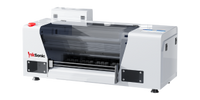
A clothing printer lets you create custom T-shirts, hoodies, sportswear, uniforms, and other apparel with full-color designs. DTF printing works with compatible cotton, polyester, denim, and blended fabrics, including light and dark garments. Choose between single-head and dual-head printers based on your order volume, budget, and production needs.
What Clothing and Fabrics Can You Print On?
A custom clothing printer can handle more than standard T-shirt designs. With DTF printing, you can add logos, illustrations, names, and other graphics to different types of apparel.
T-Shirts & Sweatshirts: Print business logos, detailed artwork, or personalized designs for individual orders and clothing collections.
Hoodies & Streetwear: Create chest logos, oversized back prints, and limited-edition graphics.
Sportswear & Jerseys: Add player names, team numbers, and sponsor logos to compatible athletic fabrics.
Uniforms & Workwear: Customize employee clothing with company branding, names, or department details.
Tote Bags & Fabric Accessories: Make promotional bags, event merchandise, and personalized gifts.
DTF transfers can be applied to many cotton, polyester, cotton-blend, denim, and canvas fabrics in light and dark colors. Test stretchy sportswear, coated fabrics, and heavily textured materials before production.
Which Type of Clothing Printing Machine Should You Choose?
The best printing method depends on the fabric, design, and number of garments you need to produce.
Method
Best For
Consideration
DTF
Mixed fabrics, custom orders
Film, powder, curing, heat press
DTG
Cotton garments
Pretreatment and fabric preparation
Sublimation
Light polyester apparel
Limited fabric compatibility
Screen Printing
Large batches of the same design
Screen setup for each design
Why choose DTF printing for clothing?
DTF is useful when orders involve different fabrics, garment colors, or designs. It can be used on many cotton and dark-colored garments, and it requires no separate screen for each artwork.
DTF also supports detailed illustrations, gradients, and white ink underbases for dark clothing. A small apparel shop can print one personalized transfer or arrange multiple designs on a gang sheet for a larger order.
The workflow involves printing on film, applying adhesive powder, curing, and heat pressing.
What Should You Look for When Buying a Clothing Printer?
Before buying a clothing printer, consider the work you'll actually be doing. A printer used for occasional personalized shirts has different requirements from one handling daily orders for a clothing brand.
Print Width: Check the maximum printable width against your designs. A 13-inch printer can handle many chest prints and standard graphics. Oversized hoodie or jacket designs may need a larger format.
Production Volume: Single-head printers can suit smaller workloads, while dual-head configurations offer higher potential throughput. Also consider how long powder application, curing, and pressing take.
Print Quality: Look at real samples of fine text, gradients, and white ink coverage on dark fabrics.
White Ink Maintenance: Circulation, mixing, and automatic cleaning features help manage white ink. Regular nozzle checks and maintenance are still necessary.
Film Handling & Software: Stable film feeding helps keep prints aligned. RIP software lets you manage white ink layers, arrange gang sheets, and prepare repeat orders.
Support & Warranty: Check installation guidance, technical support, replacement parts, and warranty terms before purchasing.
Compare the full setup cost, including consumables and finishing equipment.
What Do You Need to Start Printing Custom Clothing?
A DTF clothing printing setup needs a printer, RIP software, PET film, CMYK and white inks, adhesive powder, curing equipment, and a heat press.
Step 1: Prepare Your Design. Create or import your artwork into RIP software and set up the print layout and white ink layer.
Step 2: Print on DTF Film. Print the design onto PET transfer film using CMYK and white DTF inks.
Step 3: Apply Adhesive Powder. Coat the printed ink with DTF adhesive powder and remove the excess.
Step 4: Cure the Transfer. Cure the powder using a curing oven or a compatible powder shaker and dryer.
Step 5: Heat Press onto Clothing. Position the transfer on the garment and apply the recommended temperature, pressure, and pressing time.
For printer setup and maintenance, InkSonic provides manuals, how-to videos, YouTube tutorials, and free remote technical support. Plan for suitable workspace ventilation and routine cleaning supplies.
Which InkSonic Clothing Printer Fits Your Production Needs?
Consider the single-head U13 for small-batch orders and the dual-head U13D for higher print volumes. If you want to reduce manual powder application and curing, compare the U13 powder shaker and dryer bundle with the printer-only setup. Use the table below to compare print width, printheads, maintenance features, and other specifications across InkSonic models.
DTF is a practical choice for businesses printing full-color designs on different fabrics. DTG is often used for direct printing on cotton garments, while sublimation suits light-colored polyester. Screen printing can be more economical for large batches of the same design.
Can a clothing printer print on cotton and polyester?
Yes. DTF printing works with many cotton, polyester, and blended fabrics. It can also be used on compatible denim and canvas. Heat, pressure, and pressing time may vary by garment, so test a sample before production.
What is the difference between a DTF printer and a DTG printer?
A DTF printer prints designs onto PET film. The transfer is then coated with adhesive powder, cured, and heat-pressed onto clothing. A DTG printer prints ink directly onto the garment and may require pretreatment depending on the fabric and ink.
Do you need a heat press with a clothing printer?
For DTF printing, yes. After the transfer is printed and cured, a heat press applies it to the garment. The correct temperature, pressure, and pressing time depend on the transfer materials and fabric.
Is it better to buy a clothing printer or outsource printing?
Outsourcing can make sense for occasional orders. Buying a printer gives you more control over design changes, production schedules, and small custom runs. Factor in equipment, consumables, workspace, and maintenance when comparing costs.


 XP600 Dual Head A3+ DTF Printer U13D

 XP600 A3+ DTF Printer U13 & Powder Shaker Dryer Bundle