


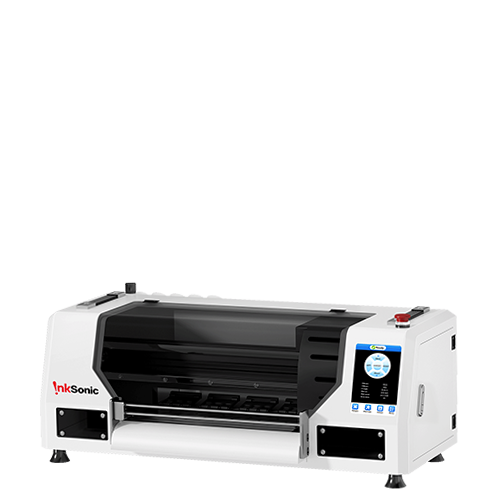







If your DTF film starts curling during printing, it should be addressed immediately. A slight lift at the edge may not seem serious at first, but if it worsens, it can not only ruin the print but also damage the printer by interfering with the print head, leading to costly repairs. Fortunately, by following the correct guidelines and preventive measures below, you can minimize film curling and maintain stable, high-quality printing performance.
Why DTF Film Curls During Printing
Most curling issues come from real production conditions rather than random problems.
Moisture is one of the main causes. DTF film reacts quickly to humidity changes, so even a slightly unstable or humid environment can cause the edges to lift during printing.
Ink load is another important factor. Heavy solid areas or overly saturated prints create tension on the film surface, which increases the chance of curling, especially on larger designs.
Storage conditions also play a role. Rolls stored upright or kept in inconsistent environments often develop a natural curve before they are loaded into the printer.
Printer setup can also contribute. If the film is not properly secured on the platen, even small movement during printing can gradually turn into noticeable edge lifting.

Methods to Flatten DTF Films
Using a vacuum platen is the safest choice in most professional printing environments. When turned on, it holds the film completely flat and stationary throughout the entire print job.
For printers without a vacuum system, film clips and heat-resistant tape are the best alternatives. Securing the corners helps keep smaller sheets locked in place while printing.
Control of the environment cannot be overlooked. Printing in a climate-controlled room—ideally around 72°F (22°C) with 40–60% humidity—stabilizes the film. Sudden variations in temperature or humidity are usually what trigger mid-print curling.
Controlling your ink usage is just as crucial. Instead of applying heavy ink right away, run a quick test print to see how the film actually reacts.
Finally, always inspect your film before hitting print. If it already looks slightly warped or wavy, flatten it out before loading it into the printer.

When Curling Becomes a Real Risk
Once curling appears during a print, it should never be ignored. The main risk is not just wasted material. If a lifted film touches the print head, it can cause nozzle clogging or more serious printer damage, which can be incredibly expensive to fix.
Stopping the print early is always the safer choice compared to pushing through a compromised job.
Conclusion
Most DTF film curling problems usually come down to setup, film choice, or something small being missed. Here are a few common things worth checking.
1. Invest in a Printer With Vacuum Suction
A printer with vacuum suction solves a lot of problems before they start. Keeping the film flat during printing makes a noticeable difference, especially on longer jobs.
2. Choose the Right Film Roll Size
Make sure the film size actually fits your machine. This gets overlooked all the time. If your printer is made for A4 printing, using anything wider than 8.2 inches can easily cause feeding or tracking problems.
3. Double-Check Film Placement
Before printing, take a quick look at how the film is loaded. Most rolls already have arrows showing the correct direction, but film still gets loaded backwards more often than you would think.
4. Use Better-Quality Film
Not all film behaves the same. Some stay flat and feed cleanly. Some do not. If curling keeps showing up, the film itself is worth looking at.
5. Keep the Printer Area Clean
Sometimes the cause is simpler than expected. Dust, scraps, or anything left on the platen can affect how the film sits. Keeping the printer area clean prevents a lot of avoidable issues.
6. Check Basic Machine Settings
If curling keeps happening, check the basics. Scraper position, print head height, or parts sitting too close to the film can sometimes cause problems without making it obvious right away.
7. Don’t Stop Looking for Technical Support
If you have checked everything and problems still keep happening, do not stop looking for help. Some issues are hard to spot on your own, and there is nothing wrong with getting technical support when you need it.


