









If you're diving into the world of DTF (Direct-to-Film) printing, then you're probably already aware of just how much potential this technology has for creating colorful, enduring, and detailed graphics on clothing. But before your art ever reaches the printer, it begins with your DTF design program.
In this tutorial, we'll cover what DTF design software is, the most common programs artists are utilizing, and how to choose the optimal one for your process. And, if you're looking to take your artistry off paper or t-shirts, we'll show you how Inksonic DTF and UV DTF printers can be utilized to make your designs a reality on apparel, cups, stickers, and more.

What Is DTF Design Software?
DTF design programs is the program that is used to create and prepare artwork digitally before printing onto DTF film. Unlike basic editing software, these programs provide accurate color management, layer adjustment, and transparent background functionality—all of which are required for high-quality transfers.
While you can export in just about any image editing program, export in a program that supports CMYK color profiles, vector editing, and RIP file output so your DTF prints look every bit as vivid on paper as on screen.
What to Check in DTF Design Software
Selecting the most suitable software depends on your creative aim and competence level, but here are the essential features which every designer should look for:
CMYK and ICC Color Management – To create reliable color reproduction both on screen and material.
Transparent Backgrounds – For DTF film printing with no unwanted edges.
High-Resolution Output (300 DPI or greater) – To create sharp details for delicate lines and typography.
Vector Support – Best for logos and scalable designs without loss of quality.
Layer Management – Useful for separating different design elements.
RIP Software Compatibility – To correctly translate your digital artwork into printer-ready instructions.

Top DTF Design Software in 2025
Below are some of the most popular programs used by artists, small businesses, and print shops for DTF printing:
Software |
Best For |
Key Features |
Adobe Photoshop |
Artists & Photographers |
Advanced photo editing, CMYK profiles, color correction |
CorelDRAW |
Logo & vector design |
Spot color control, perfect for clean lines and scalable artwork |
Adobe Illustrator |
Professional illustrators |
Excellent for detailed vector work and branding |
Affinity Designer |
Budget-friendly professionals |
Affordable one-time purchase, CMYK ready |
Canva / Photopea |
Beginners & small shops |
Easy templates, PNG export, quick layout design |
Acrorip / Maintop / Digital Factory |
DTF printer users |
RIP software for Inksonic printers, handles white ink and layering |
Free vs. Paid DTF Design Software
If you’re new to DTF printing, free tools like Photopea or Canva are great for learning the basics. They’re browser-based, easy to use, and perfect for simple designs.
But if you're in business or engaged in professional printing, paid applications like Adobe Photoshop, CorelDRAW, or Affinity Designer provide more resolution, color, and file type control — all of which are vital for professional purposes.
Tip: In commercial use, paid software generally ends up saving time doing editing and reprinting, so therefore, they are ultimately cost-effective.
How DTF Design and Printing Work Together
Making your design is just the first thing you do! So this is the simple steps that how design software and a DTF printer work together:
Design your image in Photoshop, CorelDRAW, or Canva.
Export that file as a high-res png with a transparent background.
Open the file in your RIP software.
Adjust the color, resolution, and settings for white ink, according to your Inksonic printer model.
Print your design onto DTF film.
Use adhesive powder, cure, and apply it onto fabric via a heat press.
Each process leads to end print quality. With your design software and printer being exactly compatible, you get more sharply defined edges, nicer gradients, and more accurate colors.
Design Hints for Stunning DTF Prints
Make use of bold, high-contrast colors. DTF prints are rendered effectively when colors are rich and saturated.
Avoid extremely thin lines. Fine details may break during transfer.
Keep transparency clean. Use a transparent PNG to avoid a visible box around your artwork.
Always mirror your design before printing (especially for text).
Test before production. Print small samples to check color accuracy.

DTF Printers for Seamless Results
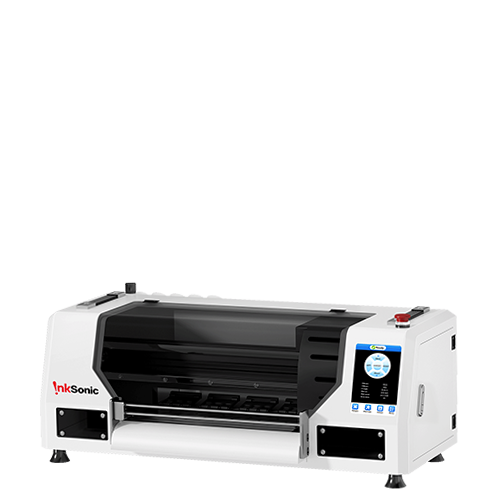
When it’s time to support your creative ideas, you want a printer that will produce results that match your imagination. Inksonic DTF printers are made to work with all professional design and RIP software, while producing exceptional color accuracy and reliable output.
Why Choose Inksonic:
Each printer comes with a free genuine RIP software that enables you to print beautiful prints.
Precise color control with vibrant pigment ink output.
Stable, continuous printing for both small studios and business-level production.
Beginner-friendly setup with detailed support and guidance.
Whether it's extending fine-art reproduction, custom apparel, or custom stickers, the Inksonic DTF printers make it easy from the design to final transfer.
Moving Beyond Paper: DTF and UV DTF for Extended Creativity
Typically, art printing using traditional methods has been limited to paper or canvas, but due to the advent of DTF and UV DTF technology, your designs can now be transferred onto clothing, glass, tumblers, metal, wood, and more.
DTF printing is ideal for textiles — t-shirts, hoodies, tote bags.
UV DTF printing brings the ability to print on hard surfaces like cups, bottles, phone cases, and laptops.

Utilizing your design software skills with Inksonic DTF or UV DTF printers has the potential to enable you to convert digital artwork into physical, marketable items that will differentiate you in any creative business.
FAQ
1. Are Photoshop or Canva usable for DTF printing?
Absolutely! You can create designs on either platform and export files for DTF printing. Just be sure to export your designs as PNG files with a transparent background, and at a high resolution (300 DPI or higher) and that’s all.
2. What is Rip Software, and Why Do You Need One?
RIP (Raster Image Processor) software (like Acrorip or Maintop) translates your design into a language that your printer understands. This is necessary with DTF printing because it needs to lay down the color in a specific order for accurate color layering and white ink output.
3. Do I need special settings for Inksonic printers?
Inksonic printers come with easy-to-use RIP software profiles pre-tuned for color accuracy and stable performance, making setup quick and reliable.
4. Can I print directly from Photoshop without RIP software?
It’s not recommended — RIP software ensures correct ink layering and media handling for professional DTF results.
5. What’s the difference between DTF and UV DTF software compatibility?
Most design programs work for both, but UV DTF printers require additional white/varnish layer control, handled within RIP software.
Conclusion
Great prints start with amazing design. Using quality adhering design software guarantees your beautiful creativity makes its way from screen to fabric. Whether you're using the power of Photoshop, the simplicity of Canva, or dedicated RIP, combining your design experience with a Inksonic DTF printer, you'll get professional, vibrantly colored, and consistent results.
Are you ready to execute on your designs?
Explore Inksonic DTF Printers and create with confidence today.


